
The timetabler through the school year
From setting up the school to adjusting on a busy Monday morning. Across locations, departments and even schools, in one overview.
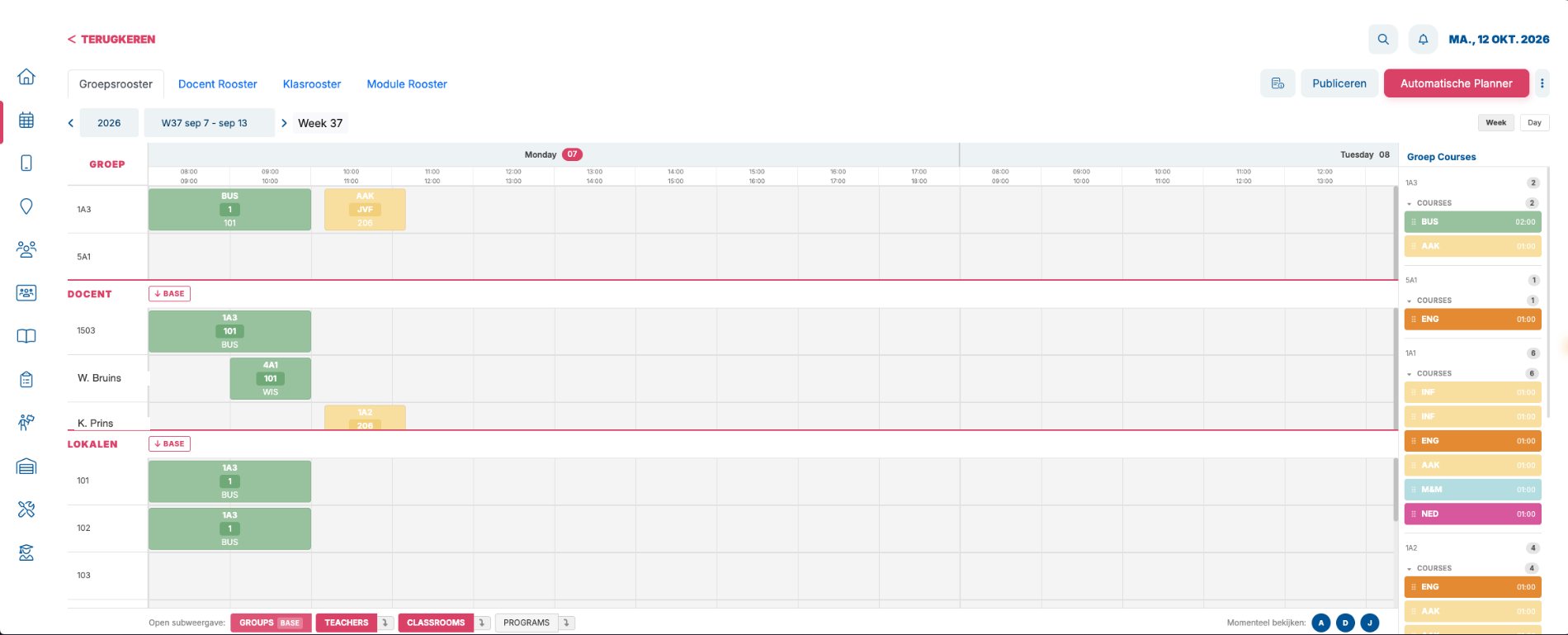
Several schools or locations in one overview
Do you plan for several schools, or for a department with several locations? Then you see and plan them in one view, without switching between environments.
Stage by stage
-
Before the start EDUos Web
Set up
Put the school into EDUos Web.
- Import groups, rooms, locations and staff from Excel
- Place rooms on the floor plan, with walking times
- Record opening hours, holidays and timetable hours
-
Before the start EDUos Web
Plan
Decide what needs to be taught.
- Create course links for several groups at once
- Record teacher availability and contract hours
- Plan capacity with EDUPlan
-
Before the start EDUos Web
Schedule
Let the scheduler fill the timetable, then fine-tune it.
- The scheduler with a check up front
- Compare scenarios before you choose
- Drag with availability, across locations and departments
-
Start of the period EDUos Web
Publish
Put the timetable live for teachers and students.
- Publish after a final check
- The timetable appears straight away in the app and in EDUos Web
- Roll a week forward to the rest of the year
-
Every day EDUos Web
Adjust
Illness, cancellations and changes, without panic.
- Review absence requests, with the lessons they affect
- See which teachers, rooms and materials are free
- Send announcements per location, as a push or in-app notification
-
End of the period EDUos Web
Evaluate
Learn from what actually happened.
- Lessons taught, attendance and room occupancy on the dashboard
- In-depth insight with EDUViewz
- Start next year from what worked
Who it’s for
- The teacher through the school year From the first invitation to the last lesson. Everything a teacher needs, in the EDU App and in EDUos Web, which is also their learning environment.
- The student through the school year From the first school day to graduation. Timetable, choices and attendance in the EDU App and in EDUos Web, which is also their learning environment.
Curious what your timetable looks like in EDUos Web?
In a demo we show you how EDUos Web works with your school’s timetables, rooms and teachers.