
A place of their own for everyone

Timetablers work in EDUos Web. Teachers and students each have their own dashboard in the EDU App and in EDUos Web, which is also their learning environment (ELO). Everyone sees exactly what fits their role.

Works in EDUos Web

Timetablers and managers

Plan, schedule and publish, with an overview of the whole school.
See the lifecycle

Timetablers and managers
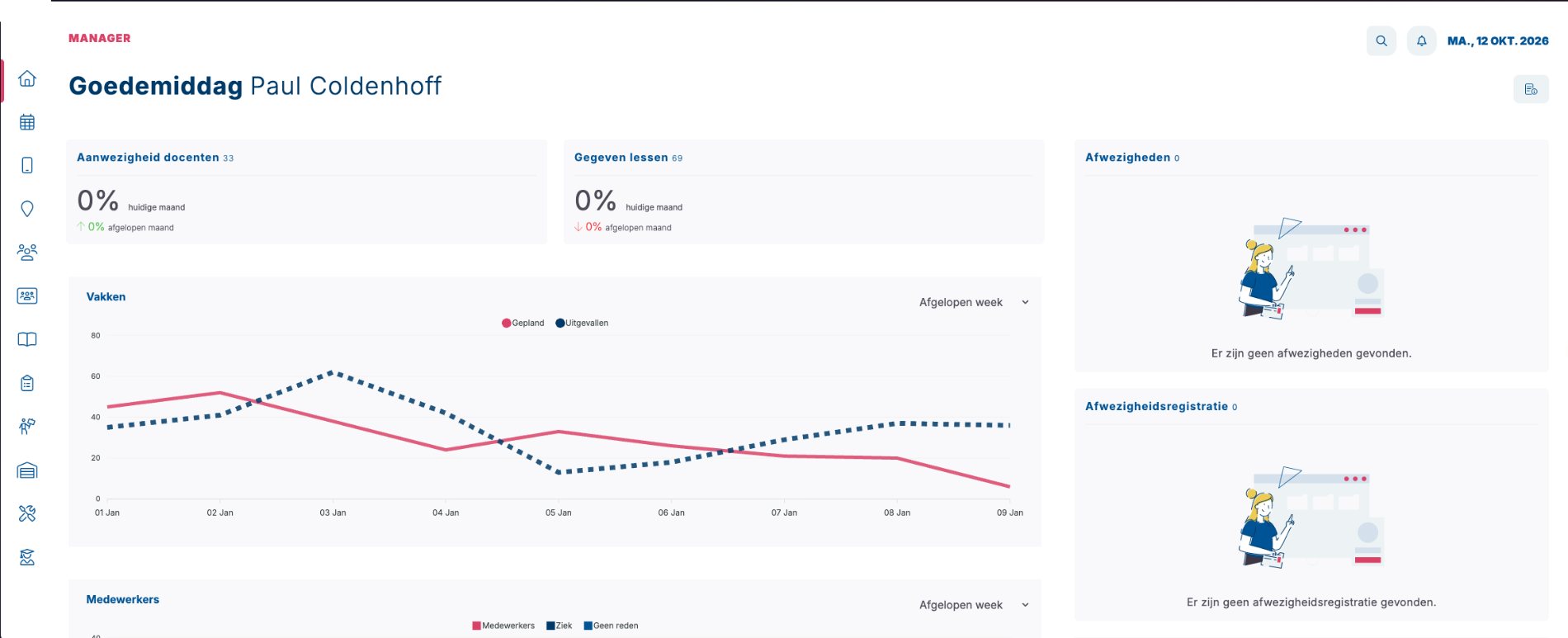
  • A dashboard with staff, students, lessons taught and room occupancy
  • Teacher attendance per week: present, sick or no reason given
  • Review absence requests, with the affected lessons in view straight away
  • Timetables per class, teacher, room and module, editable with drag and drop
  • The scheduler with a check up front, scenario comparison and publishing
  • Roll a week forward to the rest of the year, and see which teachers, rooms and materials are free
  • Send announcements to the app and see how many teachers and students use it

Works in EDU App and EDUos Web

Teachers

Everything for the school day on your phone, and in EDUos Web, which is also your learning environment.

See the lifecycle

In the EDU App

  • Your lessons for today and the whole week
  • Record attendance per lesson, or let students check in with a code
  • Add homework and tests to a lesson
  • Report an absence, for example for a doctor’s appointment
  • Accept or decline task invitations
  • News and announcements from school

In EDUos Web, also your learning environment

  • Your dashboard with today’s lessons and the week
  • Lesson details: record attendance and absences
  • Show a check-in code in class
  • The students in your lessons and groups
  • Manage invitations for lessons and tasks

Teachers and students sign in to EDUos Web only through the EDU App: open EDUos Web, scan the QR code with the app and confirm with two digits.

Works in EDU App and EDUos Web

Students

Timetable, homework and choices on your phone, and in EDUos Web, which is also your learning environment.

See the lifecycle

In the EDU App

  • Your timetable for today, tomorrow and the whole week
  • Homework and tests for tomorrow and next week
  • Check in to a lesson with a code that changes every 30 seconds
  • Your own attendance per week, month and subject
  • Enrol for electives and modules
  • News from school

In EDUos Web, also your learning environment

  • Your dashboard with your timetable and the day ahead
  • Lesson information with homework and course materials
  • An overview of your homework per lesson
  • Your attendance and absences
  • Enrol for electives and modules

Teachers and students sign in to EDUos Web only through the EDU App: open EDUos Web, scan the QR code with the app and confirm with two digits.

One account, several schools

Work or study at more than one school? With one EDUos account you switch schools easily. No second account, no extra password.

Security and privacy

Accessible for everyone

  • Colour-blind themes: protanopia, tritanopia and achromatopsia
  • A dyslexia-friendly font
  • Rooms marked as wheelchair-, blind- or hearing-friendly
  • The app in Dutch, English, German and French

Curious what your timetable looks like in EDUos Web?

In a demo we show you how EDUos Web works with your school’s timetables, rooms and teachers.

Call +31 33 785 3852